Impact of ChatGPT on Chatbots and Live Chat

ChatGPT is transforming how businesses engage customers through chatbots and live chat.

Role of Chatbots and Live Chat

Both improve communication and customer experience.

How ChatGPT Works

It uses NLP and machine learning to generate human-like responses.

Impact

ChatGPT enables faster, more accurate, and cost-effective responses.

Examples

Companies like KLM and Sephora use AI chatbots for customer engagement.

Conclusion

AI will continue to transform customer communication.

5 tips for choosing a conversational AI platform

Conversational AI continues to grow as businesses adopt automation for customer interactions.

What is a conversational AI platform?

It enables automated conversations between businesses and customers across multiple channels.

3 Key Questions

What experience do you want? How does it fit your goals? How will you measure success?

Important Features

1. NLP

Enables natural conversations.

2. Multi-channel support

Ensures consistent experience across platforms.

3. Analytics

Provides insights into user behavior.

4. Human handover

Allows switching to agents when needed.

5. Integration

Connects with CRM and other systems.

Conclusion

Choose a platform that aligns with your business goals and customer needs.

5 Reasons Your Business Needs an AI Chatbot

AI chatbot applications are increasingly becoming essential for businesses across industries to interact with customers efficiently.

Evolution of Chatbots

From early rule-based systems to AI-powered chatbots using NLP, chatbot technology has evolved significantly.

Why You Need an AI Chatbot

1. 24/7 Availability

Chatbots provide round-the-clock support, ensuring customers always get help.

2. Improve Customer Service

They handle repetitive tasks and respond instantly, improving satisfaction.

3. Cost Savings

Businesses can reduce customer support costs significantly.

4. Enhanced Efficiency

Chatbots process requests faster and allow teams to focus on complex tasks.

5. Personalized Experience

AI chatbots tailor responses based on customer data and behavior.

Conclusion

AI chatbots help businesses improve service, reduce costs, and enhance engagement.

The Best Tools for Building A Financial Service Chatbot

Chatbot

Fintech has transformed financial services, and chatbots are helping businesses provide faster and more personalized support.

Why build a Financial Service Chatbot?

Chatbots provide 24/7 support, reduce costs, and improve customer satisfaction.

Tools to build a chatbot

There are different tools available:

  • Bot development platforms
  • AI and NLP tools
  • Integration platforms

AI Platforms

  • Microsoft Bot Framework
  • Amazon Lex
  • Dialogflow
  • IBM Watson

Conclusion

Choosing the right tools helps you build a powerful chatbot that improves customer experience.

Rule-based or AI Chatbots: which one is best for your business?

When implementing a chatbot, one key decision is choosing between rule-based and AI chatbots.

AI Chatbot vs Rule-based Chatbot

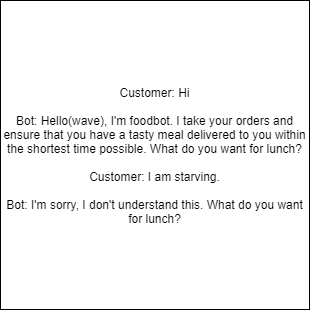
A rule-based chatbot follows predefined rules and responds based on keyword matching.

An AI chatbot understands user intent and responds more flexibly.

AI vs rule-based

Intent recognition

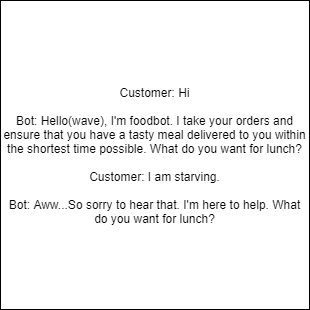
Intent recognition allows AI chatbots to understand the meaning behind user messages and respond appropriately.

AI conversation example
Rule-based example

Which one is right?

Rule-based chatbots are ideal for simple tasks, while AI chatbots are better for complex interactions.

Conclusion

There is no one-size-fits-all solution. The best choice depends on your business needs and goals.

LIVE CHAT VS CHATBOT: Which is best for your business?

Responsive and competent customer support is the lifeline of a thriving business.

Today, most communication happens via chat, and customers prefer this method to reach brands.

Introduction to Live Chat vs Chatbot

Live chat allows real-time communication between customers and support agents.

Chatbots are software programs that simulate human conversation using AI.

Pros and cons

Live chat requires human availability and can be expensive. Chatbots are available 24/7 but may have limitations.

Live chat vs chatbot

Why you need both

Combining live chat and chatbots improves customer retention, reduces costs, and increases efficiency.

Key benefits

  • Customer retention
  • Cost reduction
  • Increased efficiency
  • Better productivity
  • Improved customer experience
Chat integration

Using both systems ensures customers get the best experience.

How to build a chatbot your customers will love

Chatbots offer many advantages such as improving customer experience, providing instant responses, and enhancing customer service. However, some customers are still dissatisfied when chatbots fail to meet expectations.

So how do you build a chatbot that meets and exceeds customer expectations?

Characteristics of a well-designed chatbot

The tips below will help you build a chatbot your customers will love:

1. Keep messages short

Avoid long blocks of text. Keep responses brief and to the point. If a response is long, break it into smaller chunks to keep users engaged.

2. Inform customers they’re chatting with a bot

Always let users know they are interacting with a chatbot. This builds trust and helps users communicate in a way the bot can understand.

3. Understand customer intent

Use Natural Language Processing (NLP) so your chatbot can understand different ways users express the same idea.

4. Allow human intervention

Ensure users can easily switch to a human agent when the chatbot cannot resolve their issue.

5. Use the right personality

Your chatbot’s tone should match your brand and audience. For example, a healthcare chatbot should sound calm and reassuring.

6. Define clear tasks

Start with simple functions and expand gradually instead of trying to do everything at once.

7. Design good conversations

Create engaging and intuitive conversation flows that guide users toward completing tasks easily.

Conclusion

As more customers embrace self-service, it’s important to deliver a smooth chatbot experience. Focus on clarity, simplicity, and user needs.

When done right, chatbots can improve customer satisfaction and drive long-term loyalty.

Reach out if you have questions about implementing a chatbot.

How to use Twitter Chatbot to provide excellent customer service

One of the major reasons consumers use Twitter is to interact with brands. Most of these interactions are around customer support and enquiries. Providing customer support on social media, especially Twitter, is an efficient way to assist customers and increase satisfaction.

What makes a Twitter customer service chatbot different?

Twitter fosters communication between consumers and brands in a unique way. Customers commend businesses, air grievances, and raise complaints publicly. They expect quick responses and fast issue resolution.

The use of Twitter as a support channel has increased customer satisfaction while reducing costs compared to traditional call centres.

How chatbots enhance customer service on Twitter

Chatbots automate responses to frequently asked questions and provide self-service options, allowing customers to resolve simple issues without contacting support.

Steps to use a Twitter chatbot

1. Welcome message

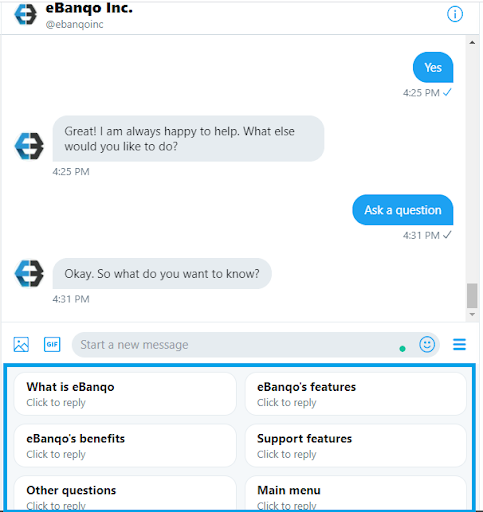
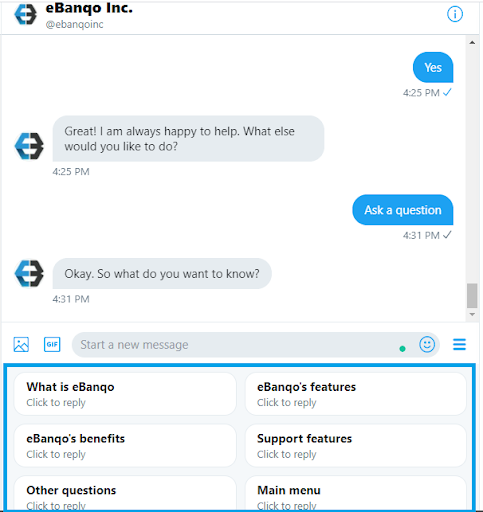
A welcome message introduces the chatbot and guides users on what they can do.

Twitter chatbot example

2. Quick replies

Quick replies guide users with predefined options, making interactions faster and easier.

Quick replies example

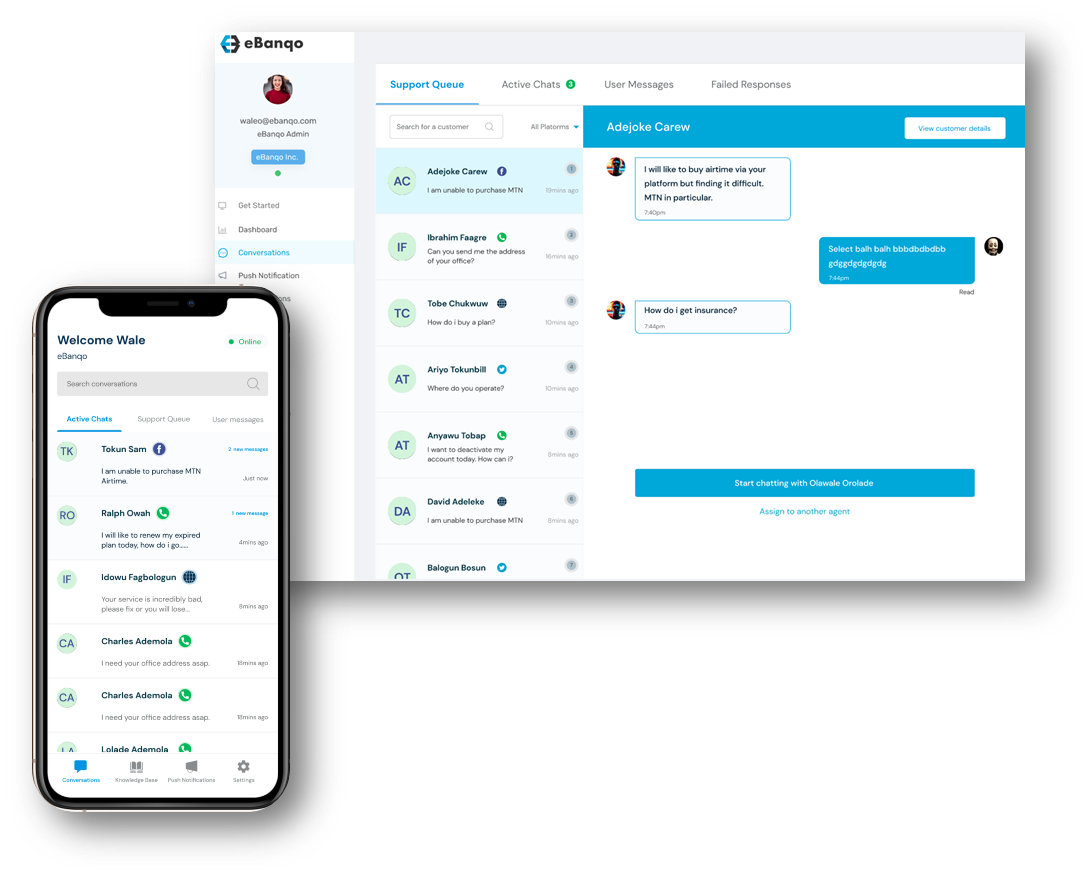
Ensure you include human handover so users can speak to an agent when needed.

A Twitter chatbot helps scale customer service and provide instant support 24/7.

How To Use A Customer Service Chatbot To Improve Resolution Time

Customers expect their issues to be resolved as quickly as possible, and businesses that achieve this are viewed more favorably. However, improving response time isn’t as simple as hiring more staff — especially for small businesses with limited resources.

In this article, we’ll explore how a customer service chatbot can help improve resolution time.

What is resolution time and why does it matter?

Resolution time refers to how long it takes to resolve a customer’s issue from the moment it is reported. Average resolution time is calculated by dividing the total time spent resolving issues by the number of issues handled.

There is no universal “ideal” response time since issues vary in complexity. However, consistently long response times indicate a need for automation.

Imagine a world without autoresponders…

When you email a business and receive an instant acknowledgment, it removes uncertainty. But it doesn’t solve your problem immediately. What if instead of just acknowledging messages, businesses could provide instant solutions?

This is where customer service chatbots come in.

What is a Customer Service Chatbot?

A customer service chatbot uses artificial intelligence to understand customer queries, provide answers, and help resolve common issues automatically.

How does a chatbot improve resolution time?

Chatbots improve resolution time in two major ways:

1. Handling repetitive tasks

About 80% of customer inquiries are repetitive and easy to resolve. Chatbots can handle these instantly, reducing the workload on support agents and shortening queues.

This allows human agents to focus on more complex issues that require attention.

2. Enabling self-service

Customers can resolve issues on their own without waiting to speak with an agent. Chatbots provide instant help across multiple platforms, reducing frustration and improving satisfaction.

They are also available 24/7, ensuring customers always have access to support.

Benefits of a Customer Service Chatbot

  1. Faster responses: Customers get instant answers and solutions.
  2. Better productivity: Agents can focus on complex tasks instead of repetitive queries.
  3. Reduced costs: Automation lowers operational costs without sacrificing quality.

Getting Started with a Customer Service Chatbot

To implement a chatbot effectively:

  1. Analyze your support team’s workflow and identify common issues.
  2. Review your support data to validate recurring problems.
  3. Select tasks that can be automated efficiently.
  4. Choose a platform that supports multiple communication channels and integrates with your existing systems.
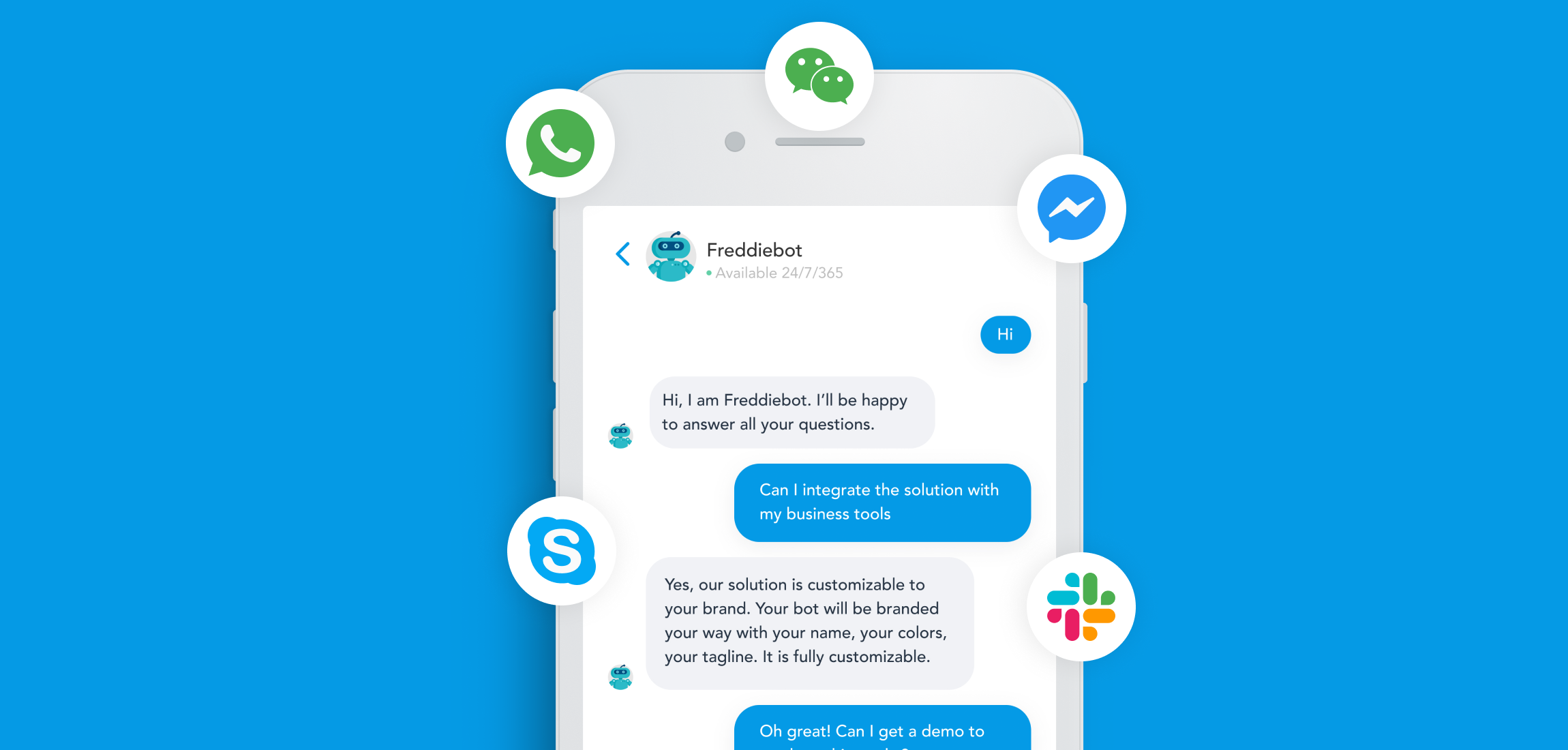
  • Ensure the platform supports channels like WhatsApp, Messenger, Instagram, and web chat.
  • Look for strong integration capabilities with CRMs and other tools.

A customer service chatbot may not solve every problem, but it is a powerful step toward improving efficiency, reducing response time, and enhancing customer experience.

How To Create An Interactive Chatbot

Interactive chatbots are everywhere today, but not all chatbots are created equal. They range from simple FAQ bots to advanced AI assistants that understand natural language and respond intelligently.

Many brands now use chatbots to create conversational experiences for customers through apps, SMS, or websites. While this technology is here to stay, building an effective chatbot requires thoughtful design and planning.

How does a chatbot work?

A chatbot is a computer program that uses artificial intelligence to simulate human conversation. It can be programmed to perform tasks like booking flights, processing orders, or resolving customer issues.

Most chatbots use machine learning and natural language processing (NLP) to improve over time. They can be accessed through apps, websites, SMS, or voice assistants like Alexa.

Why is creating an interactive chatbot important?

As conversational interfaces grow, more users rely on chatbots to complete tasks quickly and easily.

  • Chatbots improve accessibility for users.
  • They boost customer engagement and ROI.
  • They enhance customer satisfaction through personalized experiences.

What does a successful chatbot look like?

A successful chatbot solves real problems and provides clear value to users. It should have a smooth conversational flow and a visually appealing interface.

Each interaction should feel natural, intuitive, and easy to follow.

4 Steps To Creating An Interactive Chatbot

Step One: Customer Research

Understand your target audience, their needs, and their pain points. This helps you design a chatbot that truly adds value.

Step Two: Build Conversational UX

Design how your chatbot communicates. Choose the right interaction style, whether it’s message-based, card-based, or voice-driven.

Step Three: Build Conversational UI

Create a clean and intuitive interface that makes your chatbot easy to use and visually appealing.

Step Four: Add AI and Machine Learning

Enhance your chatbot with AI tools like Dialogflow or Watson to understand user intent and deliver more personalized responses.