Category: Chatbots

  • The Best Tools for Building A Financial Service Chatbot

    The Best Tools for Building A Financial Service Chatbot

    Chatbot

    Fintech has transformed financial services, and chatbots are helping businesses provide faster and more personalized support.

    Why build a Financial Service Chatbot?

    Chatbots provide 24/7 support, reduce costs, and improve customer satisfaction.

    Tools to build a chatbot

    There are different tools available:

    • Bot development platforms
    • AI and NLP tools
    • Integration platforms

    AI Platforms

    • Microsoft Bot Framework
    • Amazon Lex
    • Dialogflow
    • IBM Watson

    Conclusion

    Choosing the right tools helps you build a powerful chatbot that improves customer experience.

  • Rule-based or AI Chatbots: which one is best for your business?

    Rule-based or AI Chatbots: which one is best for your business?

    When implementing a chatbot, one key decision is choosing between rule-based and AI chatbots.

    AI Chatbot vs Rule-based Chatbot

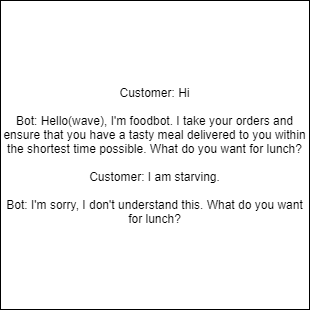
    A rule-based chatbot follows predefined rules and responds based on keyword matching.

    An AI chatbot understands user intent and responds more flexibly.

    AI vs rule-based

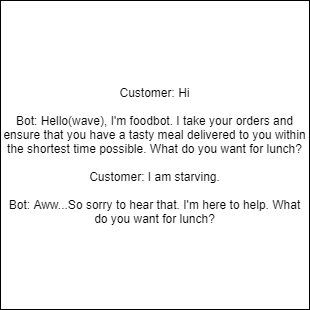
    Intent recognition

    Intent recognition allows AI chatbots to understand the meaning behind user messages and respond appropriately.

    AI conversation example
    Rule-based example

    Which one is right?

    Rule-based chatbots are ideal for simple tasks, while AI chatbots are better for complex interactions.

    Conclusion

    There is no one-size-fits-all solution. The best choice depends on your business needs and goals.

  • LIVE CHAT VS CHATBOT: Which is best for your business?

    LIVE CHAT VS CHATBOT: Which is best for your business?

    Responsive and competent customer support is the lifeline of a thriving business.

    Today, most communication happens via chat, and customers prefer this method to reach brands.

    Introduction to Live Chat vs Chatbot

    Live chat allows real-time communication between customers and support agents.

    Chatbots are software programs that simulate human conversation using AI.

    Pros and cons

    Live chat requires human availability and can be expensive. Chatbots are available 24/7 but may have limitations.

    Live chat vs chatbot

    Why you need both

    Combining live chat and chatbots improves customer retention, reduces costs, and increases efficiency.

    Key benefits

    • Customer retention
    • Cost reduction
    • Increased efficiency
    • Better productivity
    • Improved customer experience
    Chat integration

    Using both systems ensures customers get the best experience.

  • How to build a chatbot your customers will love

    How to build a chatbot your customers will love

    Chatbots offer many advantages such as improving customer experience, providing instant responses, and enhancing customer service. However, some customers are still dissatisfied when chatbots fail to meet expectations.

    So how do you build a chatbot that meets and exceeds customer expectations?

    Characteristics of a well-designed chatbot

    The tips below will help you build a chatbot your customers will love:

    1. Keep messages short

    Avoid long blocks of text. Keep responses brief and to the point. If a response is long, break it into smaller chunks to keep users engaged.

    2. Inform customers they’re chatting with a bot

    Always let users know they are interacting with a chatbot. This builds trust and helps users communicate in a way the bot can understand.

    3. Understand customer intent

    Use Natural Language Processing (NLP) so your chatbot can understand different ways users express the same idea.

    4. Allow human intervention

    Ensure users can easily switch to a human agent when the chatbot cannot resolve their issue.

    5. Use the right personality

    Your chatbot’s tone should match your brand and audience. For example, a healthcare chatbot should sound calm and reassuring.

    6. Define clear tasks

    Start with simple functions and expand gradually instead of trying to do everything at once.

    7. Design good conversations

    Create engaging and intuitive conversation flows that guide users toward completing tasks easily.

    Conclusion

    As more customers embrace self-service, it’s important to deliver a smooth chatbot experience. Focus on clarity, simplicity, and user needs.

    When done right, chatbots can improve customer satisfaction and drive long-term loyalty.

    Reach out if you have questions about implementing a chatbot.

  • How to use Twitter Chatbot to provide excellent customer service

    How to use Twitter Chatbot to provide excellent customer service

    One of the major reasons consumers use Twitter is to interact with brands. Most of these interactions are around customer support and enquiries. Providing customer support on social media, especially Twitter, is an efficient way to assist customers and increase satisfaction.

    What makes a Twitter customer service chatbot different?

    Twitter fosters communication between consumers and brands in a unique way. Customers commend businesses, air grievances, and raise complaints publicly. They expect quick responses and fast issue resolution.

    The use of Twitter as a support channel has increased customer satisfaction while reducing costs compared to traditional call centres.

    How chatbots enhance customer service on Twitter

    Chatbots automate responses to frequently asked questions and provide self-service options, allowing customers to resolve simple issues without contacting support.

    Steps to use a Twitter chatbot

    1. Welcome message

    A welcome message introduces the chatbot and guides users on what they can do.

    Twitter chatbot example

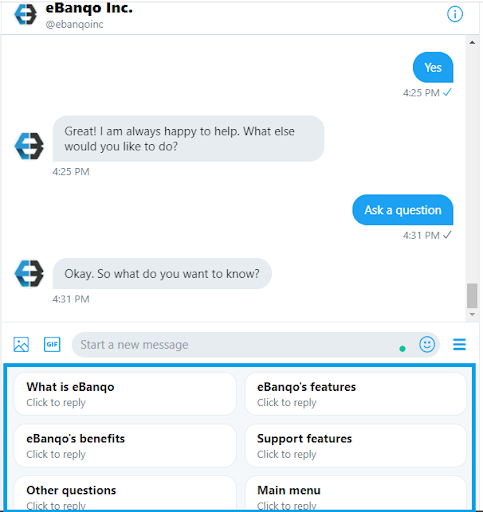
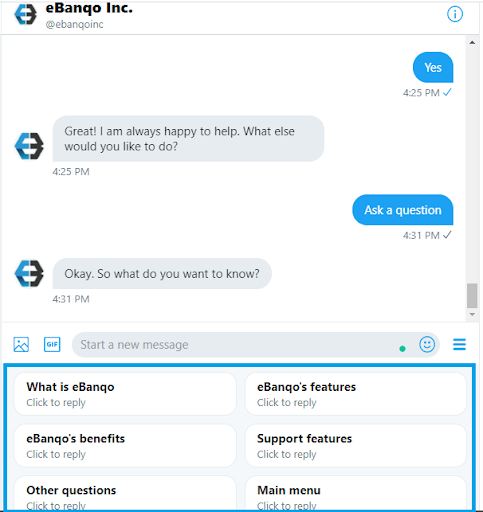
    2. Quick replies

    Quick replies guide users with predefined options, making interactions faster and easier.

    Quick replies example

    Ensure you include human handover so users can speak to an agent when needed.

    A Twitter chatbot helps scale customer service and provide instant support 24/7.

  • How To Use A Customer Service Chatbot To Improve Resolution Time

    How To Use A Customer Service Chatbot To Improve Resolution Time

    Customers expect their issues to be resolved as quickly as possible, and businesses that achieve this are viewed more favorably. However, improving response time isn’t as simple as hiring more staff — especially for small businesses with limited resources.

    In this article, we’ll explore how a customer service chatbot can help improve resolution time.

    What is resolution time and why does it matter?

    Resolution time refers to how long it takes to resolve a customer’s issue from the moment it is reported. Average resolution time is calculated by dividing the total time spent resolving issues by the number of issues handled.

    There is no universal “ideal” response time since issues vary in complexity. However, consistently long response times indicate a need for automation.

    Imagine a world without autoresponders…

    When you email a business and receive an instant acknowledgment, it removes uncertainty. But it doesn’t solve your problem immediately. What if instead of just acknowledging messages, businesses could provide instant solutions?

    This is where customer service chatbots come in.

    What is a Customer Service Chatbot?

    A customer service chatbot uses artificial intelligence to understand customer queries, provide answers, and help resolve common issues automatically.

    How does a chatbot improve resolution time?

    Chatbots improve resolution time in two major ways:

    1. Handling repetitive tasks

    About 80% of customer inquiries are repetitive and easy to resolve. Chatbots can handle these instantly, reducing the workload on support agents and shortening queues.

    This allows human agents to focus on more complex issues that require attention.

    2. Enabling self-service

    Customers can resolve issues on their own without waiting to speak with an agent. Chatbots provide instant help across multiple platforms, reducing frustration and improving satisfaction.

    They are also available 24/7, ensuring customers always have access to support.

    Benefits of a Customer Service Chatbot

    1. Faster responses: Customers get instant answers and solutions.
    2. Better productivity: Agents can focus on complex tasks instead of repetitive queries.
    3. Reduced costs: Automation lowers operational costs without sacrificing quality.

    Getting Started with a Customer Service Chatbot

    To implement a chatbot effectively:

    1. Analyze your support team’s workflow and identify common issues.
    2. Review your support data to validate recurring problems.
    3. Select tasks that can be automated efficiently.
    4. Choose a platform that supports multiple communication channels and integrates with your existing systems.
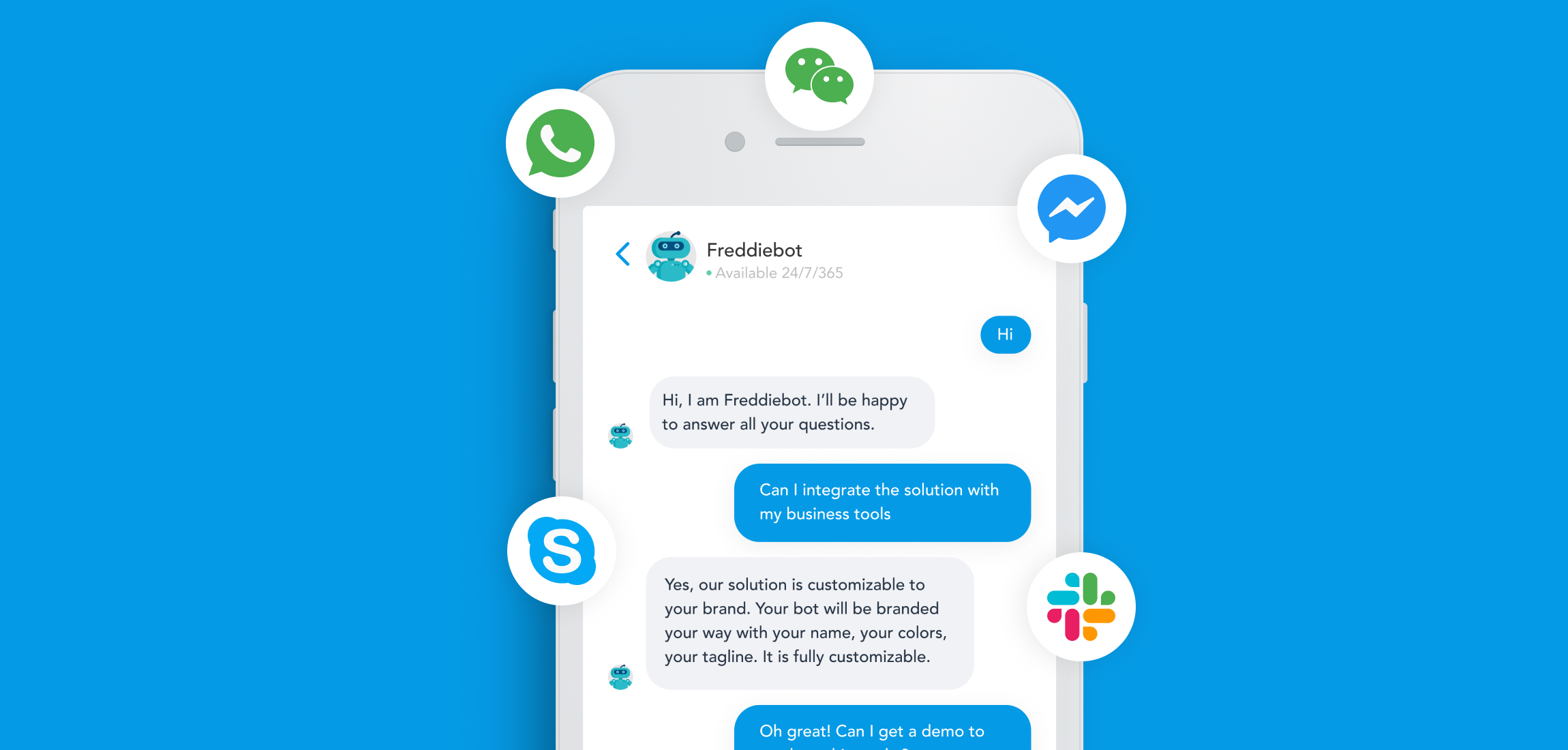
    • Ensure the platform supports channels like WhatsApp, Messenger, Instagram, and web chat.
    • Look for strong integration capabilities with CRMs and other tools.

    A customer service chatbot may not solve every problem, but it is a powerful step toward improving efficiency, reducing response time, and enhancing customer experience.

  • How To Create An Interactive Chatbot

    How To Create An Interactive Chatbot

    Interactive chatbots are everywhere today, but not all chatbots are created equal. They range from simple FAQ bots to advanced AI assistants that understand natural language and respond intelligently.

    Many brands now use chatbots to create conversational experiences for customers through apps, SMS, or websites. While this technology is here to stay, building an effective chatbot requires thoughtful design and planning.

    How does a chatbot work?

    A chatbot is a computer program that uses artificial intelligence to simulate human conversation. It can be programmed to perform tasks like booking flights, processing orders, or resolving customer issues.

    Most chatbots use machine learning and natural language processing (NLP) to improve over time. They can be accessed through apps, websites, SMS, or voice assistants like Alexa.

    Why is creating an interactive chatbot important?

    As conversational interfaces grow, more users rely on chatbots to complete tasks quickly and easily.

    • Chatbots improve accessibility for users.
    • They boost customer engagement and ROI.
    • They enhance customer satisfaction through personalized experiences.

    What does a successful chatbot look like?

    A successful chatbot solves real problems and provides clear value to users. It should have a smooth conversational flow and a visually appealing interface.

    Each interaction should feel natural, intuitive, and easy to follow.

    4 Steps To Creating An Interactive Chatbot

    Step One: Customer Research

    Understand your target audience, their needs, and their pain points. This helps you design a chatbot that truly adds value.

    Step Two: Build Conversational UX

    Design how your chatbot communicates. Choose the right interaction style, whether it’s message-based, card-based, or voice-driven.

    Step Three: Build Conversational UI

    Create a clean and intuitive interface that makes your chatbot easy to use and visually appealing.

    Step Four: Add AI and Machine Learning

    Enhance your chatbot with AI tools like Dialogflow or Watson to understand user intent and deliver more personalized responses.

  • Five use cases and benefits of chatbots in telecoms

    Five use cases and benefits of chatbots in telecoms

    Telecom companies serve large customer bases, and rising expectations have made it challenging to meet customer demands quickly. Despite heavy investment in customer support, satisfaction levels continue to decline.

    Chatbots offer telecom companies a way to deliver faster, more convenient customer service and enable self-service across multiple channels.

    5 Chatbot Use Cases in Telecoms

    1. Automate FAQs

    Support agents spend a lot of time answering repetitive questions. Chatbots can handle these queries instantly across multiple channels, freeing up support teams and reducing wait times.

    2. Customer Self-Service

    Chatbots allow customers to solve simple issues on their own, such as changing data plans or resolving minor problems without contacting support.

    3. Purchase Subscriptions

    Customers can easily renew or purchase subscriptions directly through chatbots, making the process faster and more convenient across different platforms.

    4. Sending Notifications

    Chatbots can deliver important updates such as data balance alerts or service notifications directly through messaging apps, increasing engagement.

    Since users spend a lot of time on messaging apps, engagement rates are higher compared to traditional SMS or email notifications.

    5. Surveys and Feedback

    Chatbots provide a more interactive way to collect customer feedback and run surveys, leading to higher response rates.

    Why Should Telecom Companies Use Chatbots?

    1. Improved Customer Satisfaction

    Chatbots provide instant responses and multiple support options, reducing wait times and improving overall customer experience.

    2. Cost Reduction

    Chatbots reduce operational costs by handling large volumes of requests without the need for additional infrastructure or staff.

    3. 24/7 Support

    Businesses can provide round-the-clock support without the high costs traditionally associated with 24-hour service teams.

    4. Omnichannel Experience

    Chatbots allow businesses to interact with customers across multiple platforms like web chat, WhatsApp, Messenger, and more while maintaining a consistent experience.

    5. Higher Job Satisfaction

    By automating repetitive tasks, support agents can focus on more meaningful work, improving job satisfaction and reducing burnout.

    6. New Opportunities and Upskilling

    Chatbots create new roles such as AI trainers and automation managers, allowing employees to develop new skills.

    eBanqo for Telecoms

    The chatbot market is crowded, making it important to choose the right solution.

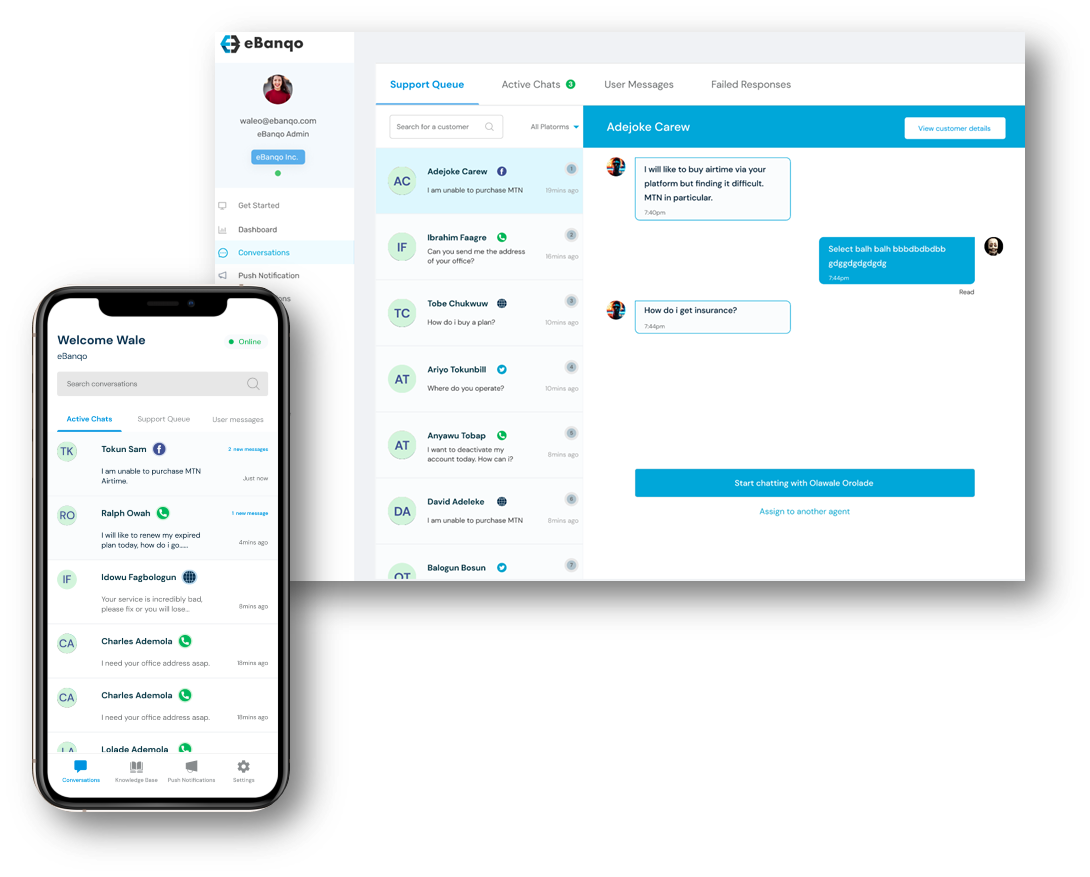
    With eBanqo, telecom companies can automate FAQs, provide self-service, and deliver seamless support across multiple channels.

    Request a free demo to see how it works.

  • A Quick Guide to Chatbot Conversation Design

    A Quick Guide to Chatbot Conversation Design

    When businesses build their first chatbot, they often focus on use cases — the functions and capabilities — while overlooking the importance of the conversation that guides user interaction.

    Chatbot conversation design is essential because it determines whether your customers will engage with your chatbot. A poorly written or unengaging conversation can cause users to drop off. So how can you design conversations that are engaging and help users complete actions easily?

    What is conversation design?

    A conversation is an interaction between two or more people where ideas and information are exchanged. Chatbot conversation design is the process of creating interactions between users and chatbots that mimic human communication.

    It goes beyond what the chatbot says — it includes how and when it says it. The goal is to make chatbot interactions more natural and engaging.

    Why is conversation design important?

    Customers care less about how advanced your technology is and more about how well it solves their problem. Well-designed conversations guide users to complete their goals effectively.

    Adding personality and a bit of humor makes interactions more enjoyable and increases the chances of repeat usage.

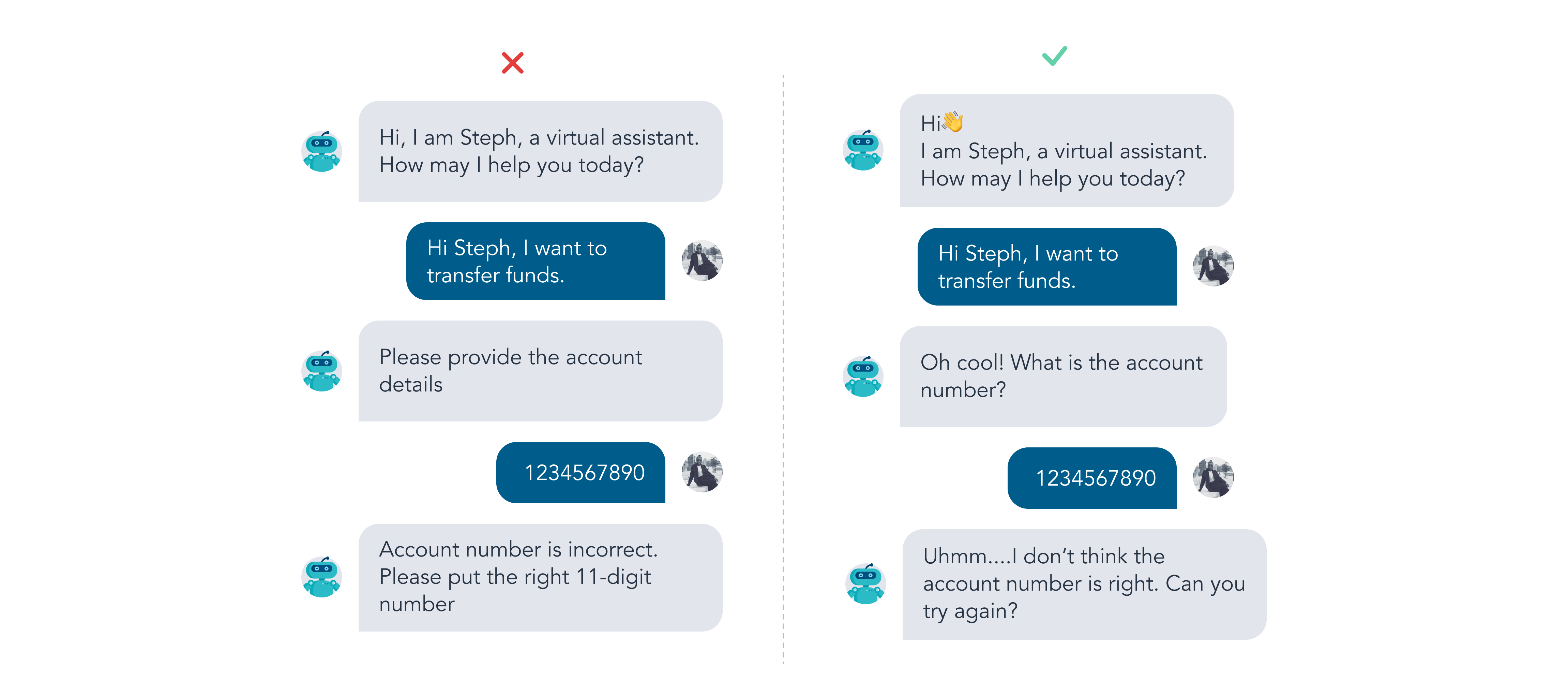
    Chatbot conversation example

    How to design a chatbot conversation

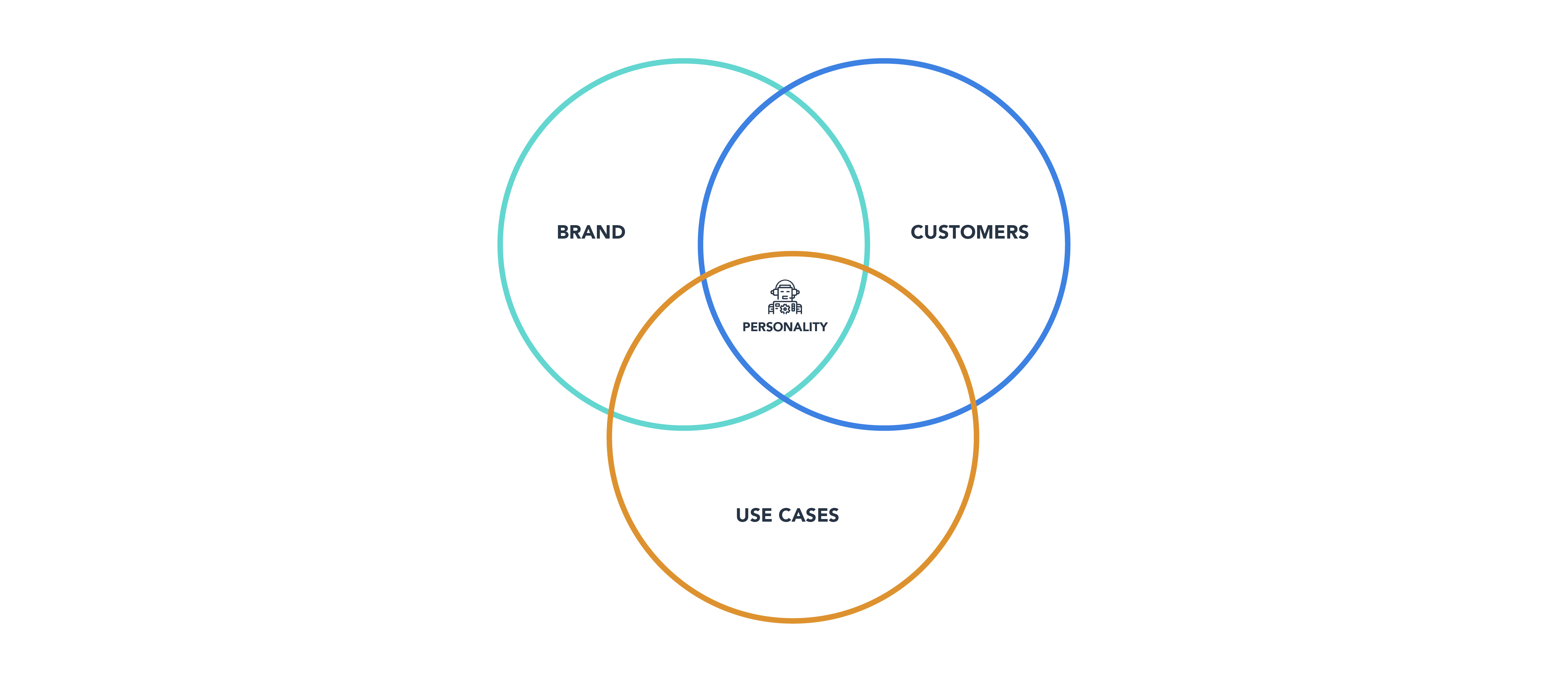
    To design an effective chatbot conversation, you need to understand your users, define use cases, and determine your chatbot’s personality.

    1. Define your users

    Understand your customers’ communication styles and expectations to create relevant conversations.

    2. Define use cases

    Identify the key tasks users want to perform and focus on those.

    3. Choose a personality

    Your chatbot should reflect your brand voice while maintaining a balance between professionalism and friendliness.

    Chatbot personality

    4. Write conversation flows

    Break down interactions into flows that guide users through decisions and actions.

    For example, brands like Lego use engaging chatbot conversations to guide users toward purchases.

    3 tips to write great chatbot conversations

    1. Opening sentence

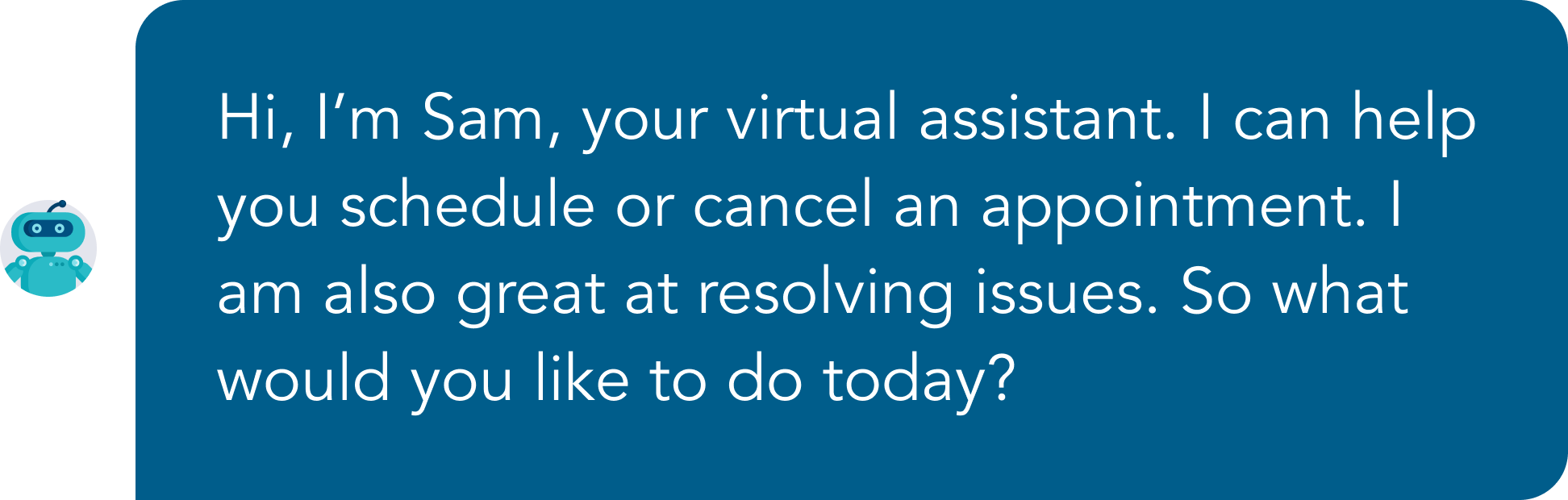
    Your opening sets the tone. Introduce your chatbot, explain what it can do, and guide the user.

    Chatbot opening example

    2. Handle out-of-scope questions

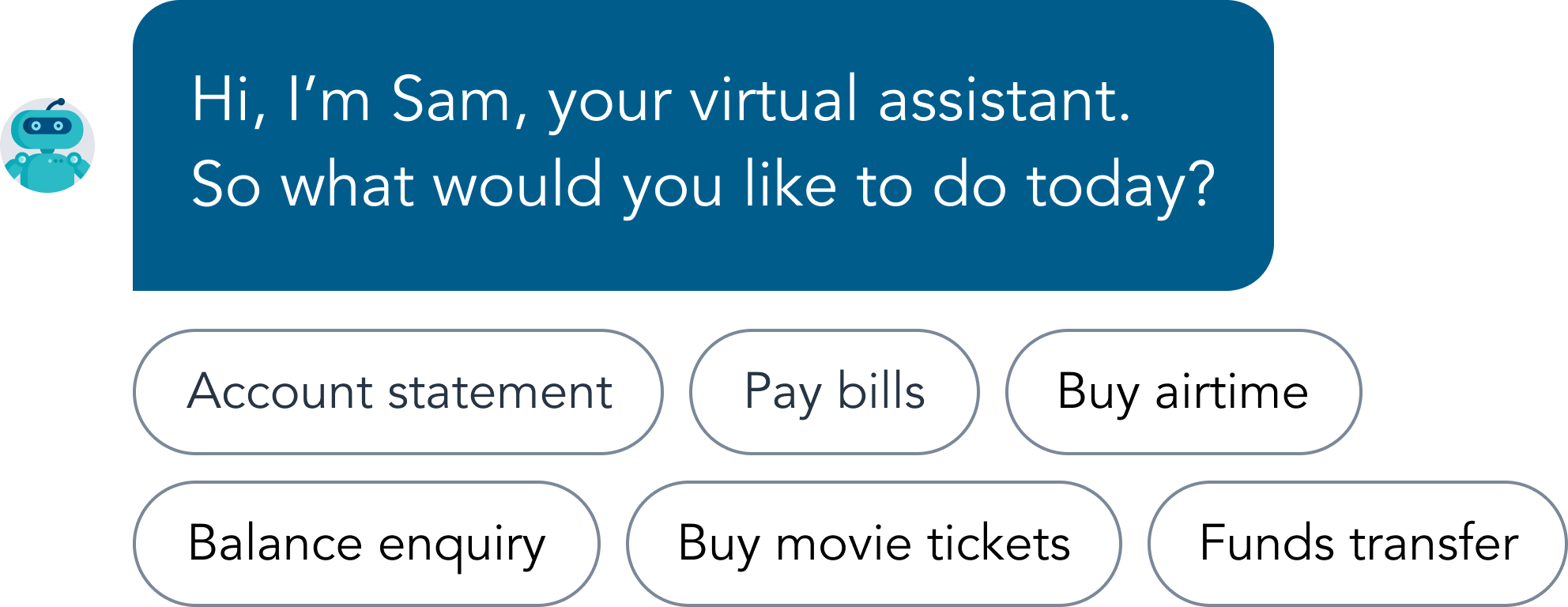
    Your chatbot should gracefully handle questions it doesn’t understand and provide alternatives.

    Quick replies example

    3. Closing sentence

    End conversations in a way that encourages users to return and engage again.

    Key principles in chatbot conversation design

    Users expect chatbots to behave like humans. Here are key principles to follow:

    • Mirror human conversations: Make interactions natural and intuitive.
    • Understand chatbot limitations: Plan for misunderstandings and provide fallback responses.
    • Keep responses brief: Avoid unnecessary information.
    • Recognize conversation signals: Detect when users are ending conversations.
    • Use familiar language: Keep wording simple and clear.

    Chatbot conversation design is not just writing responses — it’s about creating meaningful, human-like interactions that guide users to achieve their goals.

  • Automating Business Services – Empowering Customers

    Automating Business Services – Empowering Customers

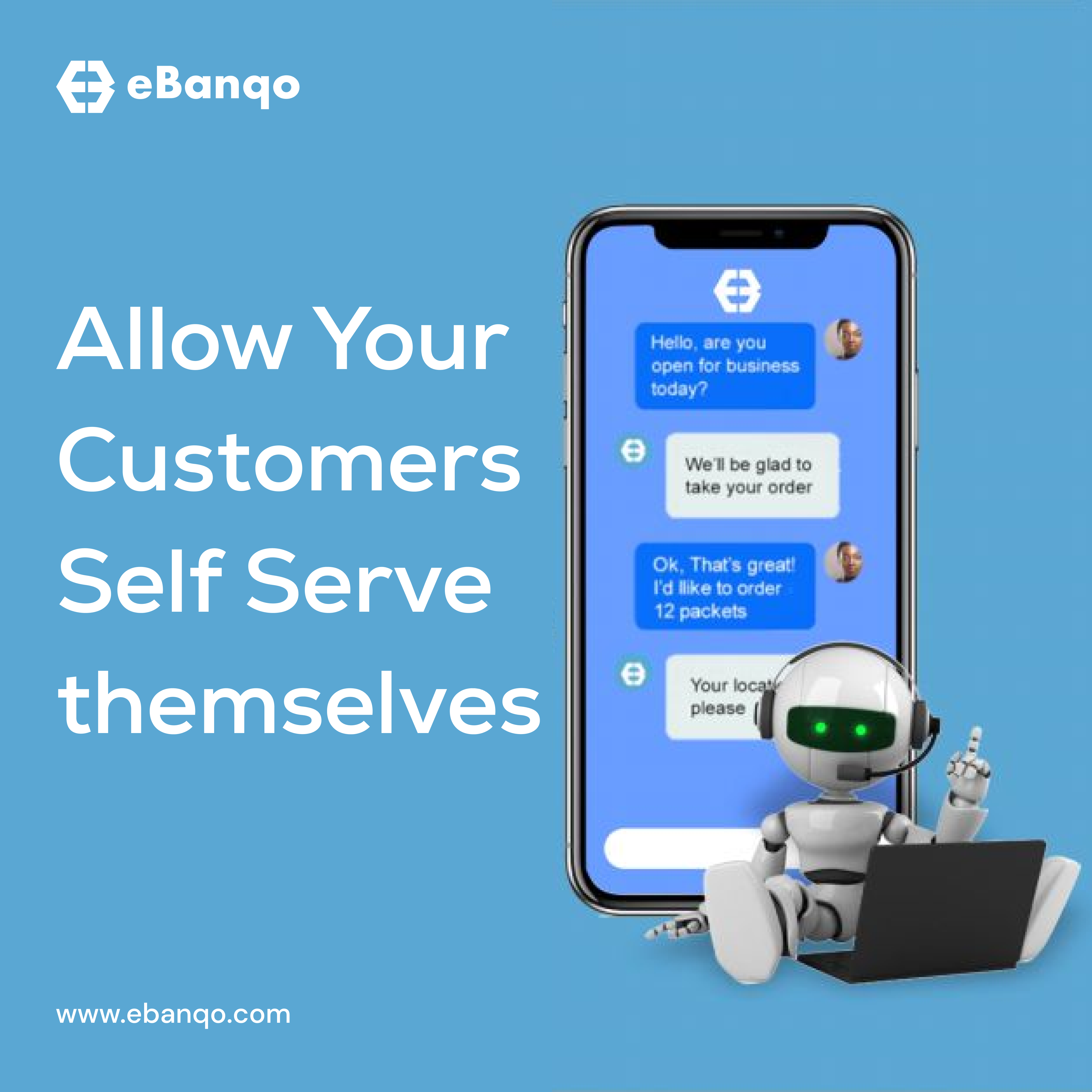
    Today we will explore a topic that’s set to bring a sense of relief to both business owners and customers alike: Automating Business Services aka Customers Self-Serve.

    Now, we understand that the term “automation” might not set your heart racing with excitement. But before you dismiss it, hang on for a moment. We’re not referring to your run-of-the-mill automation. We’re delving into something that’s not only vital but incredibly beneficial: Customer Self-service!

    Customer Self Service

    Customer self-serve automation is all about using technology to help customers do things on their own, without needing to talk to a person. For example, if you wanted to check the status of your order, instead of calling a customer service representative, you could simply use a website or app.

    The idea is to make things faster and more convenient for customers while giving your employees more time to focus on complex tasks. Win-win for both parties!

    Importance of automation in business services

    Have you noticed businesses using chatbots or online portals for tasks like checking account status or making payments? This is customer self-serve automation in action.

    By automating tasks, businesses reduce workload, save costs, and improve efficiency while customers get faster service without waiting.

    Using tools like chatbots, portals, and automated systems allows customers to act independently and efficiently.

    Considerations before implementation

    Although implementation can be challenging, the benefits far outweigh the drawbacks.

    • Identify services to automate: Focus on routine tasks that don’t require human interaction.
    • Choose the right technology: Select tools that fit your business needs.
    • Integrate with existing systems: Ensure seamless customer experience.
    • Train staff and customers: Help everyone adapt to the system.

    What your business stands to gain

    • Cost savings: Reduce operational expenses.
    • Improved satisfaction: Faster service improves experience.
    • Reduced wait time: Customers act instantly.
    • Accuracy: Automation reduces human error.

    Real-life examples

    Online flight check-in is a great example of self-service automation — reducing queues and improving convenience.

    Online Check-in

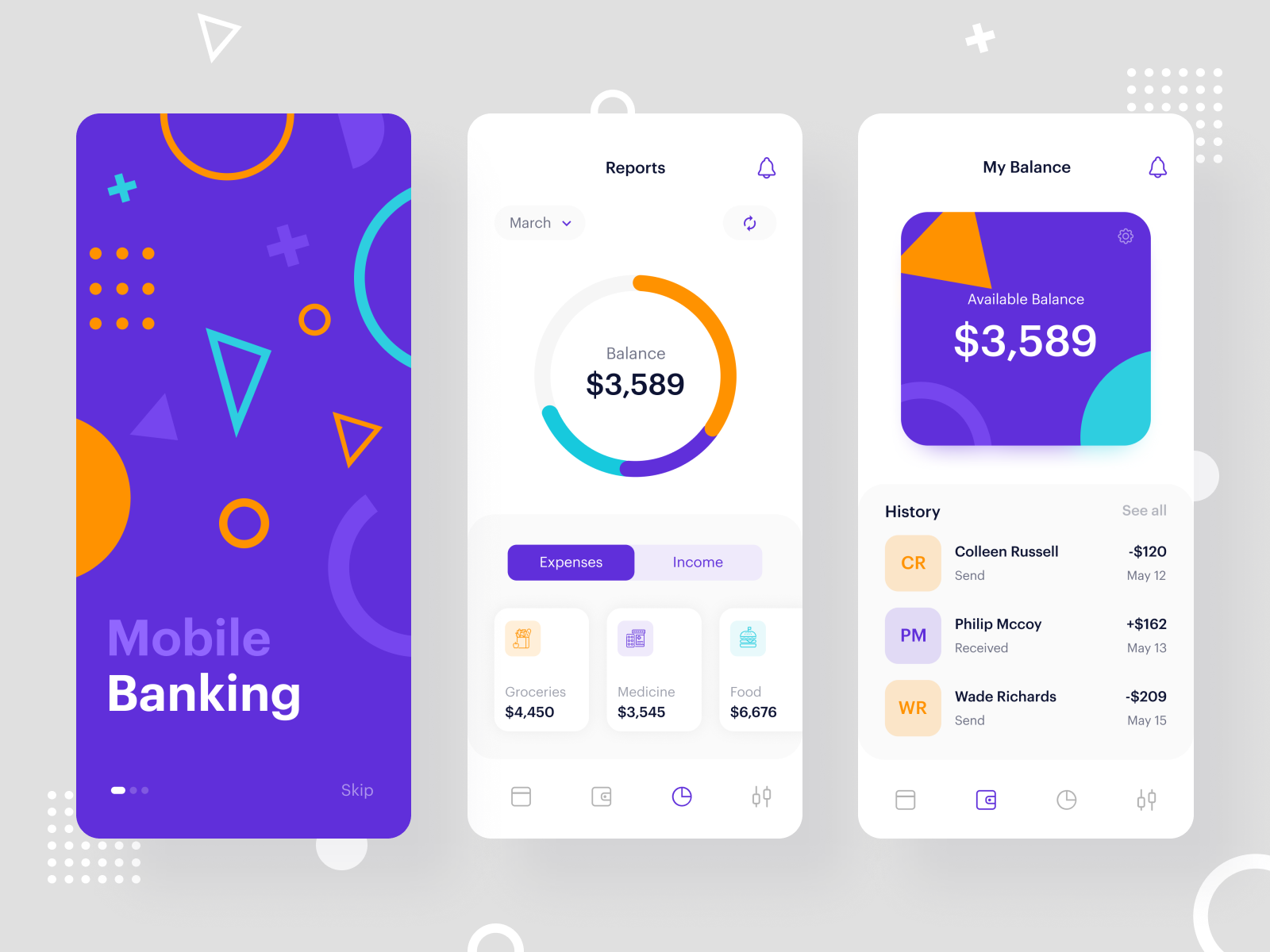
    Banking apps are another example, allowing users to check balances and make payments without visiting a branch.

    Banking App

    Final words

    As a business owner, staying updated with technology is crucial to growth. Customer self-service automation helps you stay competitive.

    By offering self-service options, your business can reduce costs while improving customer experience.

    However, balance is key — combine automation with human support for the best results.

    Need help implementing this? Reach out at hello@ebanqo.com.